DeepXROMM Config File Reference
Project Settings
task: The animal/behavior you’re trying to study. Pulled from the name given to your project folder
experimenter: Your initials
working_dir: The full directory path to your project folder
path_config_file: The full directory path to the DeepLabCut config for your project
dataset_name: An arbitary name for your dataset. Used when generating training data for DeepLabCut, which can be found in the labeled-data folder inside of your DLC project folder.
Neural Network Customization
nframes: The number of frames of video that you tracked before giving the network to DeepLabCut. Default: 0 (automatically determined from CSVs)
maxiters: The maximum number of iterations to train the network for before automatically stopping training. Default: 150,000
tracking_threshold: Fraction of the total video frames to include in the training sample. Used to warn if the network detects too many/too few frames when extracting frames to be passed to the network. Default: 0.1
mode: Determines how DeepXROMM structures your training data and neural networks. Default: 2D
- 2D - Combines both camera views into a single DeepLabCut project with shared bodypart names. Both cameras train together in one network.
- per_cam - Creates separate DeepLabCut projects and networks for cam1 and cam2. Each camera trains independently.
- rgb - Merges cam1 and cam2 into a single RGB video (cam1 → red channel, cam2 → green channel, blank → blue channel). Bodyparts are labeled with camera suffixes (e.g., "marker_cam1", "marker_cam2").
Deprecation Notice: The
tracking_modekey is deprecated as of version 0.2.5 and will be removed in version 1.0. Existing configs usingtracking_modewill be automatically migrated tomodewhen loaded. Please update your config files to usemodeinstead.
swapped_markers: Set to ‘true’ to create artificial markers with swapped y coordinates (y coordinates of swapped-cam1 will be cam2’s y coordinates). Only valid for the rgb mode
crossed_markers: Set to ‘true’ to create artificial markers that are the result of multiplying the x/y positions of cam1 and cam2 together (cx_cam1_cam2_x = cam1_x * cam2_x). Only valid for the rgb mode.
Migrating from Older Versions
Deprecated tracking_mode Parameter
Important: The tracking_mode configuration key has been deprecated as of version 0.2.5 and will be removed in version 1.0.
What changed:
- Old key: tracking_mode
- New key: mode
- Functionality remains identical
Automatic migration:
When you load a project with the old tracking_mode key, DeepXROMM will automatically:
1. Read the tracking_mode value
2. Use it as the mode value
3. Log a deprecation warning
How to update your config manually:
Simply rename the key in your project_config.yaml file:
Before (deprecated):
After (current):
Conflict detection:
If your config file contains both tracking_mode and mode keys, DeepXROMM will log a warning and use the mode value, ignoring tracking_mode.
Recommendation: Update your configuration files proactively to avoid issues when upgrading to version 1.0.
Required Augmenter Settings
Important: As of recent versions, DeepXROMM requires augmenter settings to be present in your project_config.yaml file. If your configuration file was created with an older version and lacks these settings, you will encounter errors when using retraining features.
Required configuration structure:
Add the following to your project_config.yaml file if it's not already present:
Where to add it:
Place the augmenter section anywhere in your project_config.yaml file (typically near other algorithm-related settings like mode).
What these settings do:
- outlier_algorithm: Controls how DeepXROMM detects problematic frames during retraining (default: jump)
- extraction_algorithm: Controls how frames are selected for retraining (default: kmeans)
See the Augmenter Settings section below for detailed information about available algorithms and when to use them.
Note: These settings are only used during the retraining workflow (
extract_outlier_frames()andmerge_datasets()). If you're not using the retraining features, the default values will work fine, but the keys must still be present in your config file.
Video Codec Settings
video_codec: Specifies the video codec used for all video operations including video conversion, RGB splitting/merging, and test video generation. Default: avc1
Available options:
avc1- H.264 codec, provides good balance of quality and compatibilityXVID- Xvid MPEG-4 codecDIVX- DivX MPEG-4 codecmp4v- MPEG-4 Part 2 codecMJPG- Motion JPEG codecuncompressed- No compression (very large file sizes)
⚠️ Warning: Codec availability depends on your OpenCV build and operating system. DeepXROMM will raise a
RuntimeErrorif the specified codec is not available on your system.
When this setting is used:
- Creating RGB videos in
rgbmode - Splitting RGB videos with
split_rgb()method - Any video conversion operations during testing
- Frame extraction for training
Video Similarity Analysis
cam1s_are_the_same_view: Controls assumptions made during project-level video similarity analysis. Default: true
Values:
- true - Assumes all cam1 videos across trials capture the same view, and all cam2 videos capture the same view. Analysis compares cam1 across trials and cam2 across trials.
- false - Assumes cam1 and cam2 capture different subjects or completely different experimental setups across trials.
When this setting matters:
- analyze_video_similarity_project() - Uses this setting to determine comparison strategy
- analyze_marker_similarity_project() - Applies similar assumptions to marker trajectory analysis
Note: This setting does NOT affect trial-level analysis methods (
analyze_video_similarity_trial(),analyze_marker_similarity_trial()), which always compare cam1 vs cam2 within a single trial.
Cross-reference: See Advanced Analysis Methods in the usage guide for detailed information about video and marker similarity analysis.
Augmenter Settings
Controls how DeepXROMM identifies and extracts outlier frames during the retraining workflow. These settings are nested under the augmenter key in project_config.yaml.
# How the settings will appear in your project_config.yaml
augmenter:
  outlier_algorithm: jump
  extraction_algorithm: kmeans
augmenter.outlier_algorithm: Algorithm used to detect outlier frames. Default: jump
Available algorithms:
jump- Detects frames with sudden jumps in predicted marker positions (recommended for most cases)fitting- Identifies frames that don't fit the expected trajectory modeluncertain- Selects frames where the network has low confidence predictionslist- Use a manually specified list of frames (requires passingframes2useparameter toextract_outlier_frames())
augmenter.extraction_algorithm: Algorithm used to select which outlier frames to extract. Default: kmeans
Available algorithms:
kmeans- Uses k-means clustering to select diverse representative frames from outliersuniform- Extracts frames uniformly distributed across the video
When these settings are used:
extract_outlier_frames()- Uses both settings to identify and extract problematic frames from analyzed trials
Cross-reference: See Retraining the Model in the usage guide for the complete retraining workflow and step-by-step instructions on using these settings.
Image Processing
search_area: The area, in pixels, around which autocorrect() will search for a marker. The minimum is 10, the default is 15.
threshold: Grayscale value for image thresholding. Pixels with a value above this number are turned black, while pixels with a value below this number are turned white. The default is 8 (grayscale values range from 0=black to 255=white).
krad: The size of the kernel used for Gaussian filtering of the image. The larger the kernel, the higher the filtered radius of a marker. The default is 17 (left) vs. a krad of 3 (right).
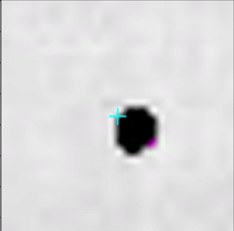
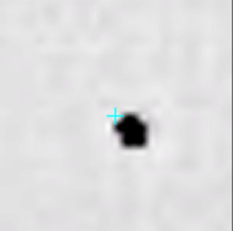
gsigma: Responsible for small differences in image contrast. Can be modified as a last resort, but for the most part I would leave this alone. The default is 10.
img_wt: Relative weight of the image when it is blended together with a blur. Typically you’ll want this to be significantly higher than the blur, and the default will work well for most X-ray images. The default is 3.6.
blur_wt: Relative weight of the blur when it is blended together with an image. Typically you’ll want this to be significantly lower than the image, and the default will work well for most X-ray images. The default is -2.9.
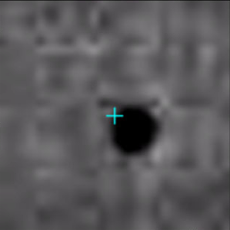
gamma: The level of contrast in the image. Higher gamma = lower contrast. The default is 0.1 (left) vs. gamma = 0.9 (right). Try to run with a level of gamma that avoids filtering out marker data, while not taking away valuable information from the image processing itself.
Autocorrect() Function Visualization
trial_name: The trial to use for testing
cam: The camera view to use for testing
frame_num: The frame to use for testing
marker: The marker to use for testing
test_autocorrect: Set to ‘true’ if you want to see/troubleshoot all of the post-processing steps that autocorrect goes through for a certain trial/cam/marker/frame combination
- Requires a way to visualize image output like Jupyter Notebook
- You can also use the provided jupyter_test_autocorrect.ipynb file from the repo